Keeping your workspace clean is fundamental, and knowing how to clean the PC keyboard or notebook is a crucial step for the personal hygiene and longevity of your equipment. In 2026, with the growing concern for the health and performance of electronic devices, regular keyboard cleaning is not only a matter of aesthetics, but of health and functionality.
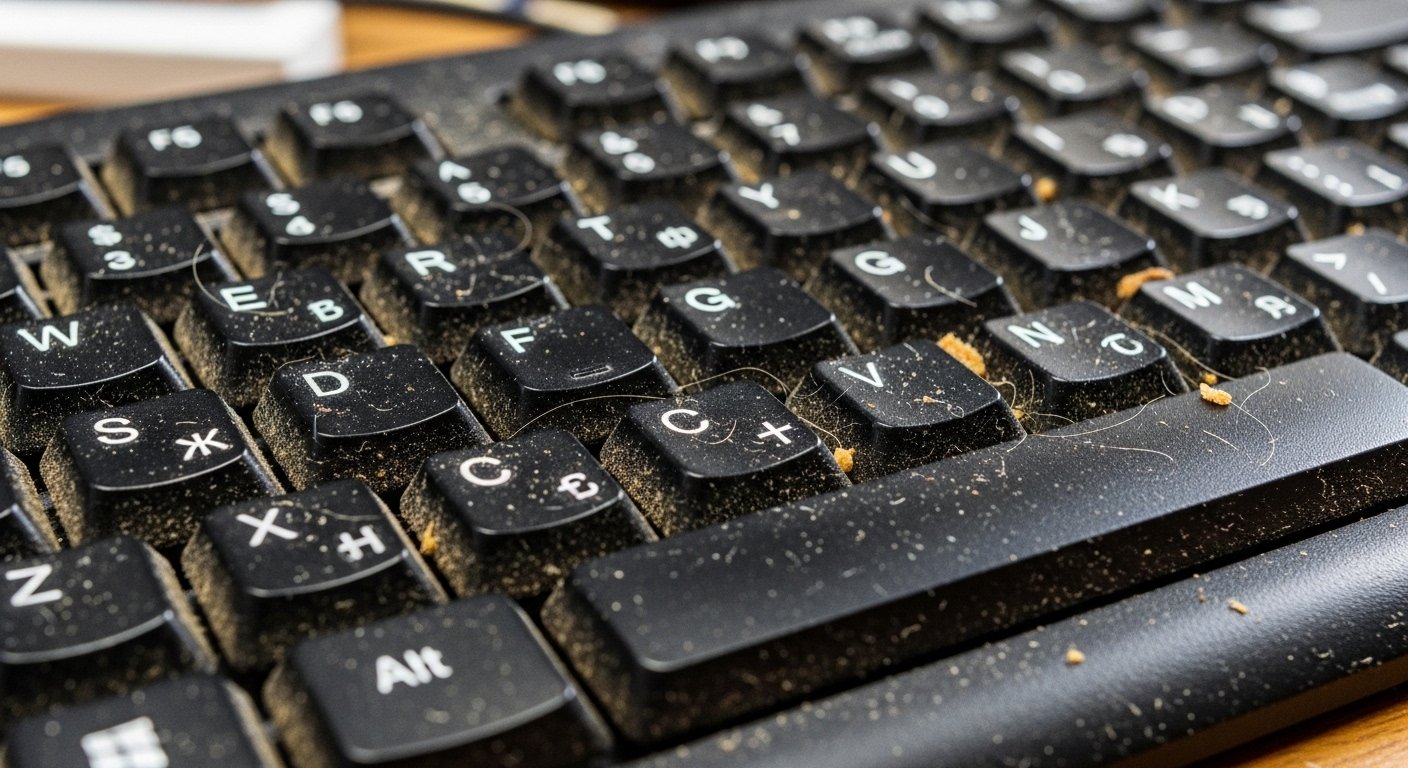
Breads, dust, skin residues and even bacteria accumulate in the cracks of the keys, which can lead to malfunctions in the operation, locked keys and even health problems. This guide Tecners complete will equip you with the knowledge and techniques needed to sanitize your keyboard safely, effectively and professionally, ensuring that your PC or notebook remains impeccable and responsive.
Throughout this article, you will find that cleaning a keyboard does not require complex tools, but the correct use of simple materials and a methodical approach. We will approach from day to day cleaning to deeper maintenance, exploring the particularities between desktop keyboards and notebooks.
The goal is to provide a comprehensive vision, based on practical experience and accurate technical data, so that you can perform the task with confidence and without risk to your valuable hardware. Get ready to transform the hygiene of your keyboard and hence your experience of use.
The Vital Importance of Keyboard Hygiene: Health and Performance You Can't Ignore
Many of us spend hours on end in front of the computer, and the keyboard is one of the most played interfaces daily. However, we rarely devote to it the attention it deserves in terms of cleanliness. Such negligence may have significant consequences for both your health and the performance and life of your equipment. The accumulated dirt is not only aesthetically unpleasant; it is fertile ground for a number of problems.
From a health perspective, studies conducted by universities and research centers around the world have consistently demonstrated that keyboards can harbor an alarming amount of microorganisms. Food residues, dust, dead skin cells, natural hand oils and saliva droplets combine for create an environment conducive to the proliferation of bacteria and viruses.
In 2026, with increased awareness of disease transmission, the hygiene of frequent contact surfaces, such as the keyboard, is more critical than ever. Such contamination may include strains of bacteria such as Staphylococcus aureus and E. coli, which can cause infections. In addition, allergens such as dust and mites can accumulate, triggering reactions in sensitive individuals. (see: IBGE data)
Recent studies in microbiology, such as those cited in several scientific publications and public health reports, indicate that computer keyboards can house more bacteria per square inch than a toilet seat, stressing the urgent need for a routine of regular cleaning for the prevention of diseases and maintenance of collective health.
In terms of performance, dirt is a silent enemy. Dust particles and crumbs that infiltrate under the keys can compromise the internal mechanisms, causing lockings, log failures or even complete inoperance of some keys. This not only frustrates the user, but can also decrease their productivity. In mechanical keyboards, the presence of debris can affect the tactile sensation and response of switches.
For notebooks, the situation is even more delicate, because the dust can obstruct the air outputs, leading to overheating of the internal components and, consequently, the reduction of the useful life of the device. A clean keyboard not only provides a smoother and responsive typing experience, but also protects the investment made on your PC or notebook. (see: investment analyses)
Before Starting: Preparing for Safe Cleaning of Your Keyboard
Preparation is the key to successful and, above all, safe cleaning. Ignoring preliminary steps can result in hardware damage or even personal risks. Before you even think about touching your keyboard with any cleaning product, it is imperative that you take some basic precautions. These measures ensure that the process is effective and free of setbacks.
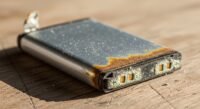
First of all, and most crucially, is to completely shut down your equipment. If it's a desktop PC, disconnect the USB or PS/2 port keyboard. If it is a notebook, turn it off completely (do not just put it in suspension mode) and, if possible and secure, remove the battery. This stage is fundamental to avoid short circuits caused by moisture cleaning products or accidental movement of electrical components during cleaning. Electric safety should always be your top priority.
Secondly, it is recommended that you take a photo of your keyboard, especially if you intend to remove the keys for a deeper cleaning. This image will serve as a visual map to ensure that all keys are replaced in their correct positions. It seems a minor detail, but it can save a lot of time and frustration at the time of assembly, especially with function keys and symbols that vary between layouts.
Essential Materials for Effective Cleaning
With the safety precautions taken, the next step is to gather the necessary materials. The choice of the right products is as important as the technique used because the use of inappropriate substances can permanently damage the finish or electronic components of the keyboard. Here is a list of recommended items, widely available on the market in 2026:
- Tin Tablet Air: Essential to remove dust and crumbs difficult to access between keys. Make sure to use it on short jets and keep the can upright to prevent the expulsion of liquid propellant, which can cause damage by freezing or moisture.
- Soft Wire Brush: A clean, soft makeup brush or a small paintbrush is ideal for sweeping dust and loose debris from the surface and from the keystrokes.
- Clean Microfiber Pan: Perfect for cleaning delicate surfaces without scratching. Its texture absorbs dirt and does not release garters. Have several at hand, one for each type of cleaning.
- Cotton swabs or flexible stems: Useful to clean the corners and sides of the keys, where dirt accumulates most and the cloth does not reach.
- Isopropyl alcohol (70%) or more: This is the preferred cleaning product for electronics. Evaporates quickly and leaves no waste, being safe for circuits and plastics. Use it in moderation, moistening the cloth or swab, never applying directly to the keyboard.
- Key removal tool (Keycap Puller): If you have a mechanical or membrane keyboard with removable keys and plan a deep cleaning, this plastic or metal tool prevents damage when removing keys.
- Mini Vacuum Cleaner (optional): A small hand vacuum cleaner, with low power and thin nozzle, can be useful for sucking larger debris without risk of damaging the components.
Avoid abrasive cleaning products, strong solvents such as acetone, ammonia-based or bleach-based multi-purpose cleaners, and rags that release garnets. The choice of the correct materials ensures safe and effective cleaning while preserving the integrity of your equipment.
Cleaning Methods for PC Keyboards: Different Approaches for Each Level of Dirt
Cleaning the keyboard of a desktop PC can vary from a simple daily maintenance to a deep cleaning depending on the degree of dirt and time since the last cleaning. We present here the main methods, categorized to meet different needs.
Superficial and Regular Cleaning (Month/Thursday)
This is the cleaning you should often perform to avoid excessive accumulation of dirt. It is fast and does not require disassembly.
- Off and Off: Make sure the keyboard is disconnected from the computer to avoid accidental drives and electrical risks.
- Turn Keyboard: Tilt the keyboard upside down and give light beats on the back to dislodge crumbs, dust and other loose debris. That alone makes a big difference.
- Use Compressed Air: With the compressed air nozzle pointed at the cracks between the keys, make jets short and firm. Start on one side and move to the other, or in zigzag, to push the dirt off the keyboard. Keep the can upright.
- Brush Scan: Use the soft bristle brush to sweep dust and waste away from the keyboard surface and the keys side.
- Key Cleaning: Mildly moisten a microfiber cloth with isopropyl alcohol. Don't wet it! Wipe the surface of each key by removing oiliness and dirt. Use cotton swabs lightly moistened with isopropyl alcohol to clear the sides of the keys and areas of difficult access.
- Structure Cleanup: With the same dampened microfiber cloth, clean the external structure of the keyboard.
This method is effective for regular maintenance and helps keep the keyboard in ideal hygiene and functioning conditions.
Intermediary Cleaning (Month/Bimonthly)
For a slightly higher level of dirt, this approach deepens surface cleaning without the need to remove the keys.
- Repeat the steps of Superficial Cleanup: Especially the use of compressed air and brush.
- Mini Vacuum Cleaner: If you have a mini vacuum cleaner with a thin beak, use it to suck out the debris that compressed air and brush failed to remove completely. Be gentle and use as little suction as possible to avoid damaging the internal keys or components.
- Focus on Problem Areas: Spend more time on the most used keys (such as space, Enter, Shift) and areas where dirt tends to accumulate more.
- More Detailed Hygiene: Use cotton swabs and isopropyl alcohol to thoroughly clean the cracks and spaces between the keys, rolling the swab so it collects dirt.
Intermediate cleaning is ideal for maintaining a good level of hygiene without needing a more drastic intervention.
How to Clear Notebook Keyboard: Specific and Essential Care
notebook keyboards require an extra level of care compared to desktop keyboards. Due to its integration with the body of the device and the lower tolerance to liquids and disassembly, the approach should be more conservative and precise. Compact design and low profile keys make cleaning a different challenge but fully feasible with the right techniques.
The main difference is the delicateness of the components. Notebooks have motherboards and other sensitive circuits very close to the keyboard surface, making them extremely vulnerable to liquid spills. In addition, the keys are usually thinner and fixed by scissors or butterfly mechanisms, which are more fragile and difficult to replace if damaged during inadequate removal. Therefore, the golden rule for notebook keyboards is: less is more, especially when it comes to humidity and mechanical force.
Steps to Safely Clean Notebook Keyboard:
- Off and Off: As with any electronics, the first step is to completely turn off the laptop and disconnect it from the socket. If the battery is removable, remove it. This is a non-negotiable security measure.
- Turn and lean: With the notebook off and ideally the screen closed or protected, turn it upside down and shake gently to dislodge loose crumbs and debris. The angle can help gravity do the job.
- Tablet Air with Caution: Use compressed air on short, controlled jets. Keep the can upright and at a safe distance (about 15-20 cm) to prevent the liquid propellant or extreme cold from damaging the keys or finishing. Pass the air in a sweep motion, from side to side, and also around each key, always directing the dirt out of the device. Avoid blowing the air directly into the cracks of the notebook body.
- Soft Wire Brush: Use a clean and soft brush to gently brush the surface of the keys and the cracks. This helps to release the sticky dust without forcing the delicate mechanisms.
- Surface Cleaning with Isopropyl Alcohol: Moisten slightly a clean microfiber cloth or a swab with 70% or more isopropyl alcohol. It is crucial that the cloth is only damp, not soaked. Pass the cloth over and around the surface of each key, carefully cleaning. For tighter areas, use the swab. Isopropyl alcohol evaporates rapidly, minimizing the risk of moisture damage. Never spray the liquid directly on the notebook keyboard.
- Structure Cleanup: Use the same slightly moistened microfiber cloth to clean the plastic areas around the keyboard and touchpad, which also accumulate oiliness and dirt.
- Drying: Allow the notebook to dry completely outdoors for a few minutes before turning it back on, ensuring that any moisture residue has evaporated.
Avoid at all costs removing the keys from the notebook unless you are an experienced technician and have the appropriate tools, as the risk of breaking the shear mechanisms is too high and replacement is complex and expensive. For persistent or ingrained dirt, the best option is to seek a specialized technical service.
The Deep Cleanup: When and How to Unmount Keyboard (If Needed)
Deep cleaning of a keyboard, which involves key removal, is a procedure that requires patience, attention and, in some cases, specific tools. This method is usually reserved for desktop PC keyboards, especially mechanics, which are more robust and designed to facilitate maintenance. For notebook keyboards, as mentioned, key removal is discouraged due to the fragility of the mechanisms.
When to Consider Deep Clean?
- Sticky or Locking Keys: If some keys are failing or appear "grudent" even after surface cleaning, there may be accumulation of sugary liquids (coolers, coffee) or compacted dirt under them.
- Significant Spills: In case of liquid spilling, key removal is essential to completely clean and dry internal components, avoiding further damage.
- Visible Accumulation of Dirt: Whether you can see a substantial amount of dust, hair or debris under the keys even after using compressed air.
- Extreme Hygiene: For those who seek maximum hygiene and want a clean "as new".
It is crucial to note that this procedure is not for everyone. If you don't feel comfortable or are not sure how to proceed,
Sources and References
- surface hygiene and disinfection guidelines
- good health practices and disease prevention