
Have you been through this? He found an amazing video on TikTok and thought, "Oh, my, I need to save this!"
Whether it's a delicious recipe, a viral dance or a meme that made you laugh for hours, saving TikTok's video is more common than you think. And good news: it's super easy to do!
According to data from Tower Sensor, TikTok has been downloaded more than 3 billion times worldwide, and daily millions of videos are shared on the platform. With such incredible content, it is natural to want to save the best moments.
In this complete article, you will learn not only three practical ways to download TikTok videos, but also advanced tips, care safety and even how to organize your collection. No complications, no dubious applications – only methods that really work!
Article Index
- Why did saving Tik Tok videos become a fever?
- What you need to know before you start
- 1. By TikTok himself (official method)
- 2. Free sites without a watermark (most popular method)
- 3. Specialized Apps for Android (most practical method)
- Apps for iPhone (iOS) – alternative solutions
- Secret method: using Telegram bots
- Downloading audio separately (to create your own videos)
- Organizing your collection as a professional
- Important legal and ethical care
- Troubleshooting: Solving Common Problems
- Alternative to specific situations
- Trends and future downloads
- Extra Productivity Tips
- Complete comparison of methods
- Additional resources and community
- Conclusion: Master the TikTok videos download
Why did saving Tik Tok videos become a fever?

You know that moment when you see something on TikTok and want to show it to everybody? Or when you think it's a perfect recipe but you know you're gonna lose on the infinite feed?
The truth is, TikTok has completely changed how we consume content. Unlike YouTube, where videos are always available on the creator's channel, TikTok is based on an algorithm that shows unique content for each person.
That's why saving videos became essential:
- Do not lose valuable content – that great organization tip or recipe
- Share offline – show for friends and family without need of internet
- Create Personal Builds – your best moments in a folder
- Study dance moves – repeat as many times as you need
- Use as reference – to create your own content
Second survey of Statist, 85% of TikTok users would like to be able to save videos easily. The good news is that today is totally possible!
What you need to know before you start
Before we go step by step, it is important to understand some basic things:
Video quality: TikTok works with full HD (1080p) resolution videos, but the final download quality may vary depending on the method chosen.
File format: Most downloads come in MP4 format, which is compatible with all phones and computers.
File size: TikTok videos usually occupy between 5MB and 50MB, depending on duration and quality.
Now that you know the basics, let's get down to business!
1. By TikTok himself (official method)
That's the simplest way that always works. TikTok has been offering this option since 2019, when he realized that users wanted to save content.
Detailed step by step:
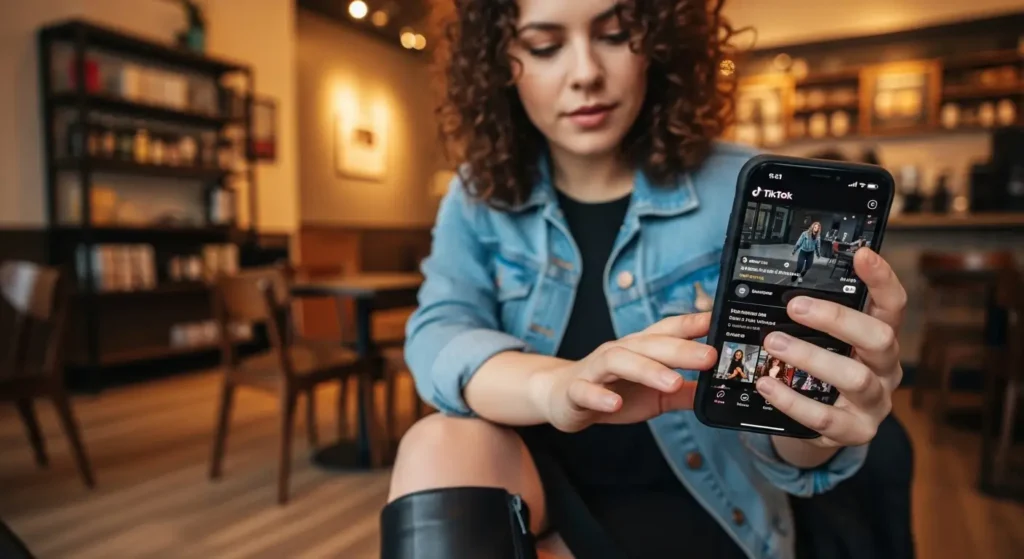
- Open TikTok and find the video you want to save
- Tap the "Share" button (arrow on the right side of the screen)
- Look for "Save Video" in the options list
- Tap "Save Video" and wait for download
- Ready! The video goes straight to your gallery
Advantages of the official method:
- 100% safe – no virus or malware risk
- Super fast – download in seconds
- It always works. – as long as the creator allows downloads
- Good quality – keeps the original resolution
Disadvantages:
- Watermark – comes with TikTok logo and user name
- Not always available – some creators block downloads
- No quality control – you get what TikTok offers
Professional tip: If the "Save Video" option does not appear, it means that the creator disabled downloads. In that case, you can try the other methods I'll teach you!
Why do some creators block downloads?
Many influencers and brands disable the download option to:
- Maintain control over your content
- Avoid unauthorized posts
- Drive traffic to your profiles
- Protect exclusive content
That's totally normal and respectable!
2. Free sites without a watermark (most popular method)

This is where it gets interesting! There are specialized websites that can download TikTok videos without that boring watermark, and still in high quality.
The most reliable and tested websites:
ssstik.io – The users' sweetheart
This is triggered the site most used to download videos from TikTok. It has super clean interface and works on any device.
How to use ssstik.io:
- Copy link video on TikTok (Share > Copy link)
- Open your browser and type: ssstik. io
- Link in the box on the screen
- Click "Download" and wait a few seconds
- Choose "No watermark" for clean download
- Tap "Download" And the file goes to your gallery
Advantages of ssstik.io:
- Super simple interface
- Download without watermark
- Works on mobile and computer
- No registration required.
- Maintains HD quality
SnapTik.app – Fast and efficient
Another excellent option, especially popular among iPhone users.
SnapTik Differences:
- Too fast to process videos
- iOS friendly interface
- Allows you to download audio only
- Works well with long videos
SaveTT.cc – For those who want maximum quality
If you are the type that does not give up the best quality possible, this is your website.
Why choose SaveTT:
- Download in original quality (1080p)
- Process videos up to 10 minutes
- Modern and responsive interface
- No download limit per day
Full video tutorial:
Check out this super didactic tutorial that explains how to use these sites:
How to Download TikTok Videos – Full Tutorial
Tips for using download sites safely:
Always check the address: Fake sites may have similar names. See if you're typing correctly.
Ignore pop-ups: If windows appear asking to install something, close immediately.
Use updated antivirus: Especially on the computer, keep your protection up to date.
Do not provide personal data: Legitimate sites do not ask for email, number or any personal information.
3. Specialized Apps for Android (most practical method)
For those who use Android, specialized apps are a hand on the wheel! They integrate directly with TikTok and make the process even simpler.
The best tested and approved apps:
Video Downloader for TikTok – The most downloaded
With more than 10 million downloads in the Play Store, this app is a market leader.
Main resources:
- TikTok Direct Download
- Removes watermark automatically
- Download History
- Organize in custom folders
- English interface
How to use:
- Install the app from Play Store
- Open a video on TikTok
- Tap "Share"
- Choose "Video Downloader for TikTok"
- Download starts automatically
TikMate – Downloader & Video Saver
More complete option with advanced features for users who download many videos.
TikMate Differences:
- Low batch videos
- Convert to different formats
- Schedule downloads for later
- Automatic cloud backup
- Download stories and lives
Snaptube – Multifunctional
Not specific for TikTok, but download videos from multiple platforms.
Why use Snaptube:
- Works with TikTok, YouTube, Instagram and more
- Super intuitive interface
- Download in various qualities
- Integrated Player
- Totally free
Important settings in apps:
Download Quality: Always choose "Original" or "HD" for best result.
Place of rescue: Configure to save in the folder you prefer.
Notifications: Enable to know when the download is over.
Auto backup: Consider activating backup on Google Drive or OneDrive.
Apps for iPhone (iOS) – alternative solutions
iPhone users know that the App Store has more restrictions on download apps. But there are some legal alternatives:
Shortcuts (iOS native)
The iPhone itself has a tool called Shortcuts that can be programmed to download videos.
To configure:
- Download the "Shortcuts" app (if not)
- Search for "TikTok Downloader" in the gallery
- Add shortcut to your iPhone
- Use sharing videos directly with shortcut
Documents by Reason
This file manager allows you to download videos via the integrated browser.
Step by step:
- Install Documents in the App Store
- Open the internal browser
- Access one of the sites we mentioned (ssstik.io)
- Download normally
- Files are saved in Documents
Secret method: using Telegram bots
Here's a tip that few people know! There are bots on Telegram that download TikTok videos instantly.
How it works:
- Open Telegram and look for "@tttsavebot"
- Start a conversation with bot
- Send link TikTok video
- Receive the video no watermark in seconds
Reliable Bots to Test:
- @ttsavebot
- @tiktokdownbot
- @tikmate bot
Advantages of bots:
- Super fast
- No watermark
- Works 24/7
- You don't have to install anything
- Free
Downloading audio separately (to create your own videos)
A lot of people don't know, but you can also download the audio of TikTok videos. This is perfect for those who want to use the songs in their own content.
Websites that offer audio download:
MusicallyDown. with – specializing in extracting audio MP3 Convert.io – convert videos to MP3 OnlineVideoConvert – multiple audio formats
How to use downloaded audio:
- Create your own TikToks With the songs you enjoyed
- Stories on Instagram with amazing soundtracks
- Custom touches for mobile phone
- Playlist offline of your favorite TikTok songs
Attention to copyright: Always check that you can use the music commercially before publishing content with it.
Organizing your collection as a professional
After downloading several videos, it is important to keep everything organized. Here are some golden tips not to become a mess:
Recommended folder system:
📁 TikTok Downloads/
  📁 Receitas/
    📁 Doces
    📁 Salgados
    📁 Bebidas
  📁 Danças/
    📁 Trending
    📁 Para Aprender
  📁 Comédia/
    📁 Memes
    📁 Stand-up
  📁 Educativo/
    📁 Dicas de Casa
    📁 Tecnologia
    📁 Idiomas
  📁 Fashion/
    📁 Outfits
    📁 Maquiagem
Organisation Apps:
Google - Photos: Create automatic albums and search for content Files by Google: Native Android organizer, super efficient File Manager Plus: For iPhone, with advanced organizational features
Appointment tips:
- Use dates: "2024-01-15 receita brownie.mp4"
- Include keywords: "danca viral janeiro 2024.mp4"
- Maintain default: always in the same format
Backup and sync:
Google Drive: 15GB free, sync automatically OneDrive: Integrated with Windows, 5GB free Dropbox: Friendly interface, 2GB free iCloud: For users Apple, perfect integration
Important legal and ethical care
Downloading videos is cool, but using and sharing has its rules. Let's get this straight.
What is allowed:
- Personal use – watch as many times as you want
- Show to friends and family in personal encounters
- Study moves dance or techniques
- Store as reference to create similar content
- Backup from their own videos
What IS NOT allowed:
- Respond as if it were yours on other social networks
- Use commercially without permission of the creator
- Remove credits original author
- Modify and redistribute no permission
- Sell videos of other people
How to use ethically:
Always give credit: If you're going to share, mention the original creator Ask permission: For commercial use, contact the author Respect privacy: Do not download private or sensitive content Follow platform rules: Instagram, YouTube etc. have their own policies
Copyright in practice:
According to the Law of Rights Brazilian authors, the use for educational and personal purposes is generally permitted, but always within the "fair use".
Important tip: When in doubt, always ask permission. Most creators are happy to allow use as long as they are credited!
Troubleshooting: Solving Common Problems
Everyone's been there: download doesn't work, video doesn't open, or some website is off the air. Let's solve the most common problems:
"The site is not loading"
Solutions:
- Check your internet connection
- Try using mobile data instead of WiFi (or vice versa)
- Clear browser cache
- Test an alternative site
- Use VPN if the site is blocked in your region
"The video doesn't download"
Possible causes:
- Creator blocked downloads
- Video removed from TikTok
- Link copied incorrectly
- Site temporarily off the air
How to resolve:
- Copy link again
- Test on another download site
- Check that the video still exists in TikTok
- Wait a few minutes and try again
"The file doesn't open on the phone"
Solutions:
- Install a video player like VLC
- Make sure the download is complete
- Try downloading again in different quality
- Convert file to MP4 if needed
"Quality is bad"
How to improve:
- Choose "HD" or "Original" when available
- Use websites that offer download at 1080p
- Check that the original video has good quality
- Avoid downloading videos that have already been answered several times
Apps locking or with error:
Quick solutions:
- Force closing and reopen the app
- Clear the application cache
- Update the app in the Play Store
- Restart your phone
- Reinstall the app if needed
Alternative to specific situations
Sometimes traditional methods don't work. Here are some clever alternatives:
For private or restricted videos:
Screen Recording: Use screen recording of your own phone
- iPhone: Control Center > Screen Recording
- Android: Settings > Advanced Resources > Screenshot
Advantages Works with any content Disadvantages: You may lose quality and include notifications
For very long videos:
Some sites have a duration limit. For long videos (more than 3 minutes):
4K Video Downloader: Computer software, very powerful JDownloader: Advanced Download Manager youtube-dl: Command line tool (for advanced users)
For mass downloads:
You want to download several videos at once? These tools help:
Browser extensions: Chrome Extensions like "Video Downloader Plus" Bulk downloaders: Apps specializing in batch downloads Custom Scripts: For developers, using APIs
Trends and future downloads
The video download market is always evolving. Let's see what's coming.
News for 2024:
AI for organisation: Apps that automatically categorize your downloads Download in 4K: As TikTok improves quality, websites follow Cloud integration: Smarter Auto Backup Download stories: New tools to save temporary stories
Changes in policies:
TikTok is constantly updating your download policies:
More control for creators: Granular options from which to download Smart Watermarks: Watermarks harder to remove Official API: Possible API release for developers Integration with other platforms: Facilitate legal sharing
Extra Productivity Tips
For those who use downloads professionally or frequently:
Shortcuts and automations:
Android – Tasker: Automate downloads based on time or location iPhone – Shortcuts: Create custom shortcuts for quick download IFTTT: Connect TikTok with other services automatically
Space management:
Videos take up a lot of space. Manage it like this:
Automatic cleaning: Configure apps to delete old videos Smart compression: Use apps that reduce size without losing quality Cloud storage: Configure auto backup and local cleaning
Additional tools:
Video Editors: For cutting specific parts
- CapCut (TikTok officer)
- InShot (simple and efficient)
- Adobe Premiere Rush (professional)
Format converters: For compatibility
- HandBrake (free and powerful)
- Any Video Converter (friendly interface)
- Online-Convert.com (no installation)
Complete comparison of methods
To facilitate your choice, here is a comparative table:
| Method | Facility | Quality | Speed | Watermark | Security |
|---|---|---|---|---|---|
| Official TikTok | ⭐⭐⭐⭐⭐ | ⭐⭐⭐⭐ | ⭐⭐⭐⭐⭐ | ❌ Has | ⭐⭐⭐⭐⭐ |
| Free websites | ⭐⭐⭐⭐ | ⭐⭐⭐⭐⭐ | ⭐⭐⭐⭐ | ✅ Remove | ⭐⭐⭐⭐ |
| Android Apps | ⭐⭐⭐⭐⭐ | ⭐⭐⭐⭐ | ⭐⭐⭐⭐⭐ | ✅ Remove | ⭐⭐⭐ |
| Telegram Bots | ⭐⭐⭐ | ⭐⭐⭐⭐ | ⭐⭐⭐⭐⭐ | ✅ Remove | ⭐⭐⭐⭐ |
| Screen Recording | ⭐⭐ | ⭐⭐ | ⭐⭐⭐ | ❌ Has | ⭐⭐⭐⭐⭐ |
Recommendation by profile:
Casual user: Official TikTok Method Content Creator: Free websites (ssstik.io) Power user Android: Expert Apps iPhone user: Sites + Documents app Professional: Combination of methods + organization tools
Additional resources and community
Where to get help:
Reddit: r/TikTok and r/DataHoarder have active communities Discord: Servers dedicated to media download YouTube: Channels specializing in technical tutorials Telegram: Brazilian Groups on TikTok and downloads
Recommended channels on YouTube:
TikTok Tips Brazil – Tips and tutorials in Portuguese Mobile Tech BR – Reviews of apps and tools Download Master – Specialized in downloads
Specialized blogs and websites:
TechAll – Brazilian tutorials and news Digital Look – Technology and social networks Canaltech – Full reviews and guides
Conclusion: Master the TikTok videos download
Whew! We have come to the end of this complete guide. Now you know all about saving videos from TikTok, from the simplest methods to advanced techniques.
Reviewing the main methods:
- Official TikTok Method – Fast and safe, but with watermark
- Free websites – No watermark and good quality (ssstik.io is the favorite)
- Apps for Android – Maximum practicality for frequent use
- iOS Alternatives – Documents + websites or custom Shortcuts
- Telegram Bots – Secret method for instant downloads
Important tips to remember:
✅ Always respect copyright and use only for personal consumption ✅ Organize your downloads in folders to easily find ✅ Back up the cloud to not lose your favorite videos ✅ Use trusted websites to avoid safety problems ✅ Credit creators if you're going to share the content
Which method to choose?
For sporadic use: Start with the official TikTok method. It's simple, fast and safe.
For regular use: Try the ssstik.io. Friendly interface and removes the watermark.
For power users: Install a dedicated app on Android or configure Shortcuts on iOS.
For special cases: Use Telegram bots when other methods don't work.
Next steps:
- Test methods that make more sense to your profile
- Configure your organization folder from start
- Explore complementary tools as editors and converters
- Follow the news – the world of downloads is always evolving
You like the guide?
If this article helped you, share with your friends who are also addicted to TikTok! And if you have any questions or discover any new methods, leave comments – we love learning from our community.
Remember: The most important thing is to enjoy the incredible content TikTok offers. Saving videos is just a way to make sure you can relive your favorite moments whenever you want!
Now just go to practice and start building your particular collection of amazing videos. Which method will you test first? The adventure is just beginning! 🚀
Happy downloading! 📱✨